Micrografx PC-Draw 1.4

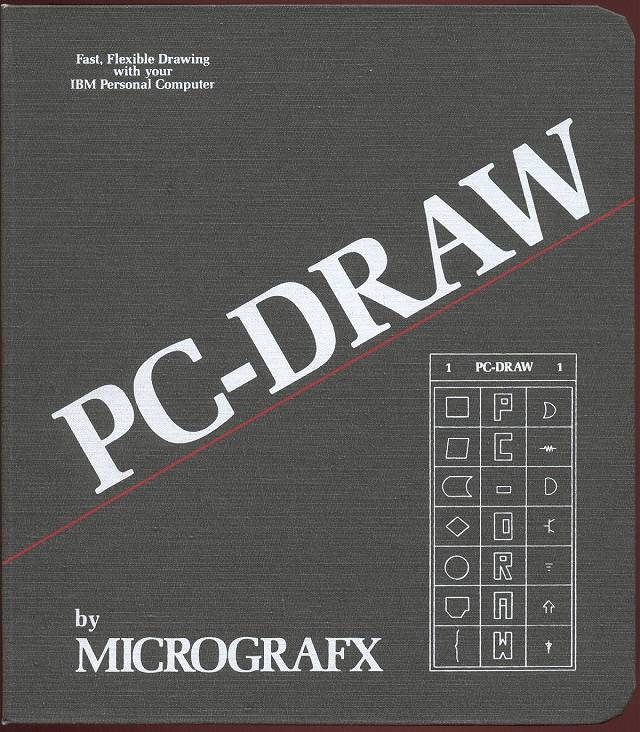 Micrografx PC-Draw 1.4
PC-Draw is a vector based drawing program for DOS. You can use it to make diagrams, schematics, charts, and drawings. It has optional support for plotters and light pens.
Micrografx PC-Draw 1.4
PC-Draw is a vector based drawing program for DOS. You can use it to make diagrams, schematics, charts, and drawings. It has optional support for plotters and light pens.
Comments
If you have two disk drives, it will expect your data files (drawings, templates) to be on Drive B:. Load Disk 1 in A and Disk 2 in B and you should be good to go.
It's an interesting program. The entire introduction/tutorial is a drawing, so a drawing can have interactive elements, multiple pages, etc.
It also comes with some useful light pen test and calibration utilities - such software is pretty rare. 'PENSYS.COM' appears to be a driver, 'LPTEST.EXE' will test your pen, while 'PENCAL.EXE' will calibrate the screen offset parameter if the pen pointer is offset.
Actually using the light pen to draw is not great. In high resolution CGA mode, there's only a horizontal accuracy of +- 16 pixels. You'll be forced to use the nudge controls for fine positioning, at which point you may wonder why you're not just using the keyboard.
A light pen interface that added per-pixel resolution would have really been essential, but wasn't possible just using the light pen header of the CGA card.
Still an interesting look into how this technology worked, so I appreciate whoever uploaded it.
I've been looking for a light pen for ages, never seen a genuine IBM/CGA one although I could probably build one or adapt one from another system.
There were some third party ISA light pen adapter cards, that may have supported finer position selection.
I suspect IBM's light pens were mainly intended for simple menu selection, like at a sales kiosk, so only text-level accuracy was required.
I'm not sure IBM gave much thought to the light pen on the PC; they never developed their own light pen, and the 5151 monitor was not ideal for their use. But it was simple enough to connect a header to the MC6845's built in pen strobe line, so they did.
They put in a bit more effort on the PCjr with the external pen connector and a BIOS light pen test routine, but it still has the same limitations.
This is the best light pen application for DOS:
https://winworldpc.com/product/pc-illustrator/3.0
You connected a light pen card to your CGA via a splitter cable - thankfully these are still possible to buy in their DE-9 serial incarnations, although you may need to adjust the vhold on your monitor after attaching one. The pen then plugs into the card, taking over triangulation duties, with a resident driver typically hooking int 10h , function 04h.
These cards could also add a hardware interrupt, which would improve performance for software that directly supported them, which is nothing - but it does make a vast improvement for mouse emulation.
With a little more thought, care and engineering, the light pen may have been a successful and widely adopted interface for the PC, like it was on the IBM 3270. I guess we'll never know.
Do you have documentation and drivers for these cards?
Do DOS programs have to have built in support for these ISA cards or do they use a DOS driver?
I had grabbed a "Software Wizardry" lightpen off eBeh. There is no technical information about it, and it seems it was intended for Z-100 systems, but I was hoping to see if I could get it to work with anything on a PC.
The main limitation of the CGA light pen header (and the EGA pen header for that matter) is that the operation is via the CRTC - the photodiode strobe only triggers a latching of the current memory address. This is not great, as a memory address can correspond to up to 16 unique pixels in the worst case graphics mode. Plus, the strobe causes no interrupt, so software must continually poll the CGA status register.
A light pen card solves both of these problems, giving a true pixel-based location function and a hardware interrupt line. But the light pen card must receive at minimum the hsync and vsync pins from the video card output - this was accomplished either with splitter cables, or an internal jumper over to a feature connector in the case of EGA or VGA.
Any application that uses Int 10h function 04h to get the light pen position will immediately enjoy increased resolution from a light pen card, once the resident driver is loaded. The interrupt function I'm pretty sure requires specific hardware support, which probably nothing will have except the manufacturer's mouse emulation driver, although there are some indications that FTG light pen cards basically act like serial port UARTs.
I have been slowly collecting drivers, resources and software for PC light pens and light pen cards, which I intend to upload to archive.org at some point when I finally run out of things to add. I've also created some schematics for making various adapter cables which are almost universally missing when these cards go up for auction. So far, I have drivers for Warp Speed and FTG pens.
The Lite-Pen company and Symtec, the other two makers of CGA compatible light pens, might as well have vanished off the face of the earth.
You can adapt almost any light pen to the CGA - you just need to supply power to the pen and check that the strobe and switch outputs are active-low. If they are not idle-high, you may need to add pull-ups - some systems had internal pullups and thus the pens for them omit them - the CGA does not.