OFFER - Cinema 4D XL 6.207 with Integrated Bodypaint 3D Win32...Min Size Archive Additions Coming...
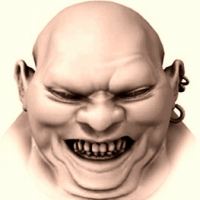
From 2000 XL 6.207 with BP...Small start size as the forum often will garner an 'error' uploading large files which wastes the whole posting so min to start with...
Here-
http://www.oldschooldaw.com/forums/index.php/topic,7381.msg10776/topicseen.html#msg10776
It's a continuation of the Nendo-Zbrush Thread which really completes a powerful vintage trio...
Most information I have THERE so no need to repeat here but I will add the animated GIF Tutorial for how to start in 3D Paint in BP as it is not easy to figure & the manual is worthless...I made this in XL7 but exact same in XL6 for workflow...You should save it offline for viewing-

I think it's 26 frames in all see upper right for frame where you are at...
More will be added as time permits...Guides-Manuals-Patterns-Files-Scenes-ETC....
Here-
http://www.oldschooldaw.com/forums/index.php/topic,7381.msg10776/topicseen.html#msg10776
It's a continuation of the Nendo-Zbrush Thread which really completes a powerful vintage trio...
Most information I have THERE so no need to repeat here but I will add the animated GIF Tutorial for how to start in 3D Paint in BP as it is not easy to figure & the manual is worthless...I made this in XL7 but exact same in XL6 for workflow...You should save it offline for viewing-
I think it's 26 frames in all see upper right for frame where you are at...
More will be added as time permits...Guides-Manuals-Patterns-Files-Scenes-ETC....
Comments
It outlays without skipping anything, how to start 3D painting in either XL6 or XL7 as you see these early versions did not have a paint wizard... I guess peeps had problems so they started putting a paint wizard in as of version 8...
After you learn how to do it manually you'll hate the paint wizard & I never use it other than to test a brush or technique quickly...anyways here's the GIF that was missing from above...Images are numbered so you know where the beginning is...
I have been fortunate to have found a rare & early 3DBuzz tut covering C4D XL6, This is not on the 3DBuzz archive in fact ALOT is not...
This shows just how great the workflow is in these old XLs-
https://ufile.io/wyv5wunp
OR
https://anonfiles.com/Y0B0G940zb/3DBuzz_Cinema4D_XL6_Overview_avi
Also I found a post buried decades ago on a guy who figured out how to projection paint without having projection paint-
*Select all UVs and Bake them
*Select the UVs at the borders
*Run Texture->Start Interactive Mapping
*Choose frontal projection
*Rotate to the view you want to paint from
*Select the texture globe w/ the X over it in the Object manager
*Run Texture->Stop Interactive Mapping
*Paint the hell out of those border areas
*Run "ReMap" to restore your UVs and bitmap to their original state
A bit of a work around, but I usually set up my UVs in a way that prevents cases where I need projection paint.
Haven't tried it yet appears sound though...
The links elsewhere have been deleted so I am gonna reupload this XL6 package all over again so grab the other in the meantime...
This is it...Added manuals where they should go so you can access by menu on GUI, added scenes & some plugins that I have tested mostly for modeling & some shaders...
I have DETICKED 'Use OpenGL' & 'Use Quicktime'...This prevents an un-openable crash if you don't have either or one...YOU SHOULD enable those if you have them...
Sorry it will open with the colors you see you can change to what you like...I HATE THE GREY!! Depressing & Moronic color...
Pass is WinWorld
https://ufile.io/x3z5ms41
OR
https://www.sendspace.com/file/srn9gq
OR
https://www.upload.ee/files/15505380/C4DXL6207.rar.html
So it should be good for Max 2.5-8...Haven't tried Lightwave yet but it should work in LW 6-9.6 minimum...I plan on using it in 6.5...
The nice thing about bodypaint is you are painting on a 'raybrushed' (pre-rendered) surface so it looks like what it's gonna look like...
Look at how similar the 'raybrush' viewport looks compared to Max8-
If that were done with Deep Paint 3D the rendered colors would be way too saturated to clowndom compared to what you were painting...
Familiar voice from the TS videos, cool!!
Looking forward to this, thanks for sharing app and tut!
Here's an image but I got probably 15 more than you see here-
https://i.ibb.co/XJs3p80/C4-DXL7all-Plug-Sept2021.jpg
And plugin tags-
https://i.ibb.co/jTF6W9Z/NEWXL7tag-NEWsept2021.jpg
Those won't fit on here....
Notice I got many plugs mounted in tab panel at bottom of GUI this is how you setup old C4Ds...
This old 'Psycho Sailor' done in XL6 & BP-
I like the way the guy uses overblown light instead of shadows, very clever...
Here are two by same dude in XL7 & BP
Now for 2000-2002 that's REAL GOOD!!
My goal is to get that good...
Every Xmas in these old XLs you get a CHRISTMAS TREE!!!
Me messing around with the Hair Department Plug in XL7-
Cool old Maxon screen of Bodypaint 3D of a ZOMBIE!...Zombies are here to stay!!
Here's another Maxon screen of XL6 with 'Pump Action' which was a popular C4D animation back then-
XL6 Tut Image of doin' an EYE...
XL6 Bodypaint image of multibrushes painting on color, bump, specular at same time-
XL7 My Jessica Rabbit WIP before I did head-
XL7 My Joan-of-Arc done in Nendo brought into XL7-
Maxon image of rusty muffler in Bodypaint3D-
This is why you cannot do DARK themes in old XLs because the text in object & material panels is BLACK & cannot be changed-
XL7 Joan-of-Arc character redesigned & rebranded as 'Char-Truce'...Radiosity render not yet finished only color painted...Hair is poly & will be replaced...Rendered with dirtyNuts plugin note dark areas in shadow regions-
Export from C4D...
Stumble-
Very Drunk-
Crawl-
In C4D you get the segmented biped & path-
Credo itself... Mostly straightforward-
Apparently these to work down to XL5...
Version 5 has FBX.
I remember seeing this before but I think it was just the animation BVH files and not the software.
I'm curious to try it out if you have it at hand, but not sure if I'ld use it.
Just this morning I made a buncha new texture tiles for the GUI but hardly any worked out... BUTT! I did discover a small button in prefs without any descriptor that allows changing the fonts in C4D to TTFs on one's machine so I choose comic sans size 9 bold which is easy to see, much better now, don't know how I missed that button all these years...But coolness don't stop there opening with standard layout-
Now I got a couple modeling layouts & one displacement paint layout but you can switch to any at anytime without anything else changing & that's for any scene you have loaded because you can have a number of projects open at same time each with different or same layout...
This is one of my model layouts with some plugins mounted on toolbar for floating windows on/off & then lower right 'edge extrude' is mounted right into that panel set then a number of model tools mounted along the bottom comprised of a number of different critical model toolz... There is also Shave & Haircut hair tab but I think I'm going to add another one or two for Hair Department & Alopecia which is strange name for a hair plug...
Since I like to model in single view I made extra perspective window to watch back angles to make sure nothing weird selected...
BTW Jessica Rabbit's poly hair there is just a placeholder... I have some remodeling I need to do on the frickin' face that not enough undos would do... Forgot I not only have HyperNURBs but also SuperNURBs on this model...
OK then I'll upload Credo 4 probably include the native library from the MegaMoCap bundle that way you can export in any available format... I assume you don't need plugin stuff?
Funny as years ago when you could 'rip' the wayback machine like I did with teleport ultra (does not work anymore) I got back the Credo MegaMoCap zipped CD like 688 MB of MoCap... Somebody had that somewhere I was shocked the wayback had anything that large to grab...
https://reinerstilesets.de/programme/hemahema/
There's quite a bit of options to use & you can do way better importing your own textures that will be applied depending on your color map settings-
Never used it before, pretty cool...
In this case I tried radiosity but I had already merged a shadowmap with the texture... Not really working out especially with 'studio light' rendering...
So here's 'RGB Balls Of Uranus'...
So I deleted whole radiosity setup & just added 2 omni lights & spruced them up a bit also added the dirtynuts plugin to diffuse channel to make dark areas darker plus a 2Dnoise in the bump channel... Much faster render less than 20 seconds too-
Pressing on>
Was using the OLD freeware Poser import plugin that I had bundled with this but in XL7 rather than XL6... Works pretty good! You can use it with I am guessing Poser 4-5-6... I am using with Poser 6... You assemble your model, pose, etc then export OBJ Then open XL6 or 7 then go to the 'Poser' plugin & import there, quite fast one thing is that anything that was a procedural say trans map in Poser you will have to (in XL6-7) on those material channels de-tick color, tick transparency, de-tick specular & that should do it...
Here in XL6-
Optionally wireframe render with alpha channel>>>
When imported into C4D you need to make a null object then select the null in the object manager then right above 'edit>select all' & all the segments will be placed into the null (as long as the null is selected whilst doing it) then rename the null 'Miki2' or whatever & THIS is what you select to move/scale/rotate whole model...