GEM 1.x

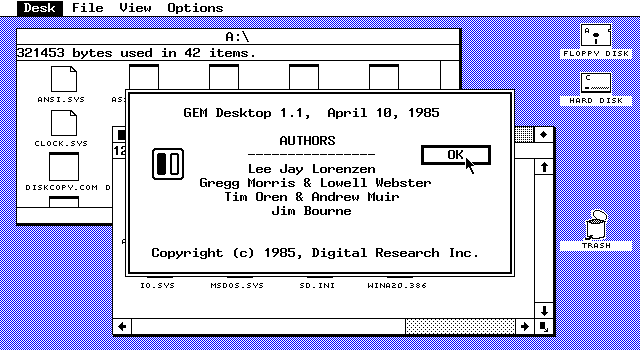 GEM 1.x
WinWorld is an online museum dedicated to providing free and open access to one of the largest archives of abandonware software and information on the web.
GEM 1.x
WinWorld is an online museum dedicated to providing free and open access to one of the largest archives of abandonware software and information on the web.
Comments
DR GEM also looked like the Atari ST!
Because the ST ran a custom version of GEM.
Oh, yeah. Right! Just noticed.
Apple sues DR for Look and Feel of the GUI. Apple copies same GUI Design from Xerox. Microsoft avoid a Lawsuit because Windows 1.01 is Titled not Overlapping Windows. 2 years later Apple sues Microsoft over Windows 2.0 Overlapping Windows. Microsoft wins the Lawsuit. For GEM the damages was done due to Lawsuit. Tandy 2000 Beta Build of Windows have Trash feature on see GEM.
I inserted Disk 1 of GEM 1.1 (System Master Disk) and after activating GEMVDI and then GEM (then getting jumpscared by the desktop) it told me to inseet GEM Desktop disk into drive A:. I didnt see GEM Desktop disk and thought Desktop Master Disk was the correct one. Turns out it wasnt, it told me: "The GEM Desktop cannot find the documents DESKLO.ICN or DESKHI.ICN, or DESKTOP.INF in the DOS search path." DOS search path? Its really confusing for me to understand what that means.
Alright turns out Desktop Master Disk shows me the exact files the GEM installer needed, but why didnt it find them then? Its confusing the hell out of me. Anyone had similiar problems like this? I hope its not the PCem emulators fault. Hope to get an answer soon!
UPDATE: I ran the wrong file, it was GEMPREP not GEMVDI im so so sooo sorry!!!