OFFER!!!... Albatross3D 2012 Win32 Plus Extras... This Is A Full-Featured 3D Package>>>
This is for the 2012 version ONLY... there is a newer version that's 64bit only & 700 MB python & frankly doesn't even work at all for me...
The 2012 version is only 21 MB & also contains a Dark Tree Simbiont which is not in the new version there...
https://albatross3d.com/download.php
Works well in XP... There's a bit of instability but mostly materials oriented in certain scenarios... But modeling pretty solid...
This will actually 3D Paint on a model using Dark Trees procedural textures... Nothing else has ever done that... I find that the texture scale in the simbiont is way up too far... Scale is set at 1.0 but to get the Dark Tree to look right it needs brought down to .1 or .2...
Recently modeled this WIP which was kinda easy-

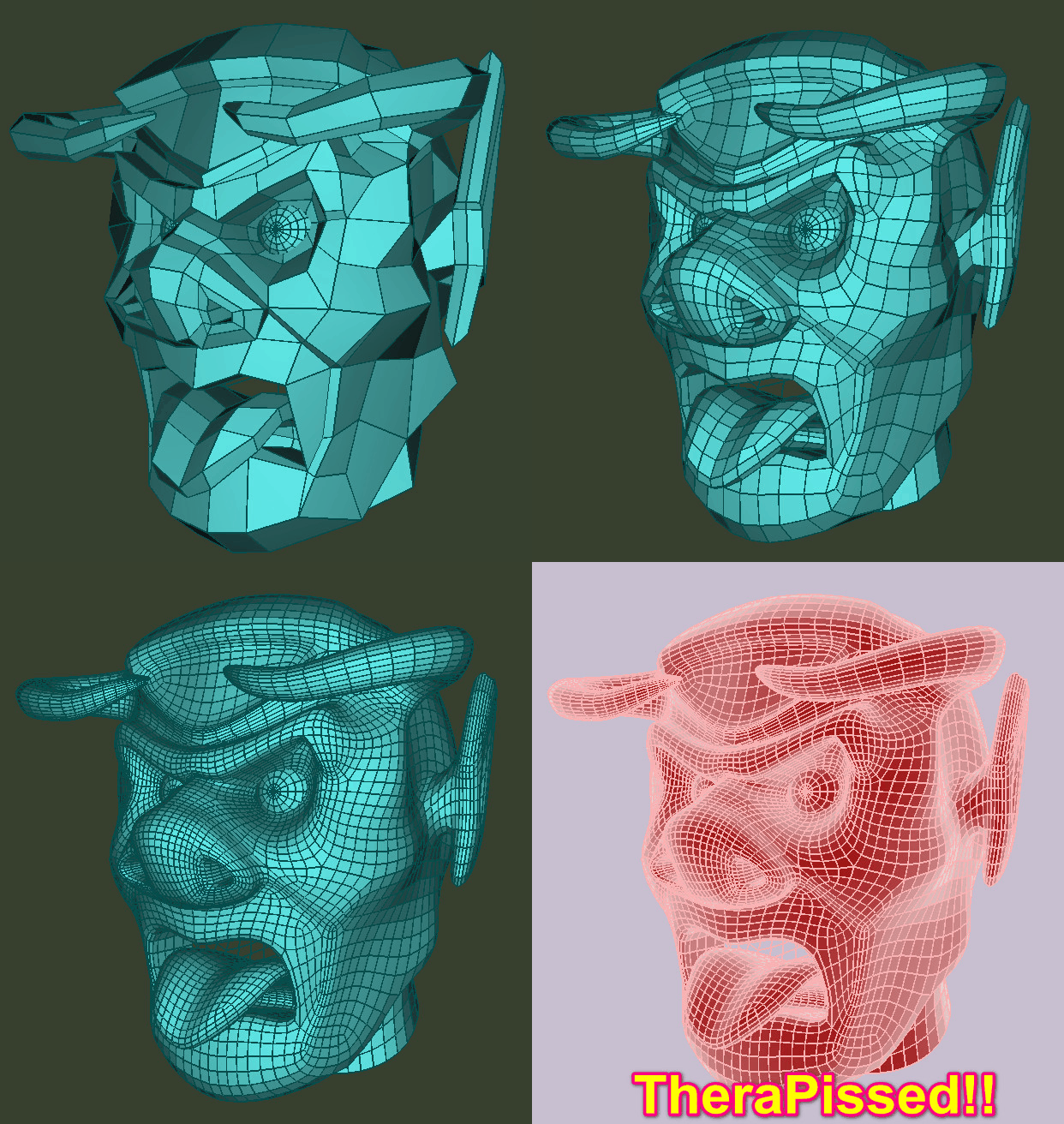
It's not done but I have included it & some extra scene/model... So in the 'Extras' is an overwrite for the programs folder & your 'My documents' folder as albatross3D installs stuff to both...
The programs folder contains a buttload more Dark Trees & a cellular.dll overwrite following structure... Albatross3D when installed only comes with a few Dark Trees...
Make sure you have 'Scan Dark Trees' ticked in prefs...
Albatross3D has it's own nodal texture editor too
The 'My Documents' Albatross3D folder contains alot more... there's texture blanks in 512-2048 each in white, black & mid-gray for quick loading for 3D painting... There's extra brushes made that are larger than what comes with Albatross3D... If you are like me I did not like the GUI colors as I could not see text/fonts so I made a high contrast color pref you could use or modify in the rc folder...
There's misc skin textures & such as well... What-not/what-not...
Albatross3D has it's own native render engine which isn't too bad but also exports to others...
Here's extras, also included an Albatross3D installer it's only an extra 21 MB-
https://send.now/2c0isr0ergtr
OR
https://sendspace.com/file/r1q99nfb
Here's some of the Developers original 2012 screenshots... These have been removed from the site-


The 2012 version is only 21 MB & also contains a Dark Tree Simbiont which is not in the new version there...
https://albatross3d.com/download.php
Works well in XP... There's a bit of instability but mostly materials oriented in certain scenarios... But modeling pretty solid...
This will actually 3D Paint on a model using Dark Trees procedural textures... Nothing else has ever done that... I find that the texture scale in the simbiont is way up too far... Scale is set at 1.0 but to get the Dark Tree to look right it needs brought down to .1 or .2...
Recently modeled this WIP which was kinda easy-
It's not done but I have included it & some extra scene/model... So in the 'Extras' is an overwrite for the programs folder & your 'My documents' folder as albatross3D installs stuff to both...
The programs folder contains a buttload more Dark Trees & a cellular.dll overwrite following structure... Albatross3D when installed only comes with a few Dark Trees...
Make sure you have 'Scan Dark Trees' ticked in prefs...
Albatross3D has it's own nodal texture editor too
The 'My Documents' Albatross3D folder contains alot more... there's texture blanks in 512-2048 each in white, black & mid-gray for quick loading for 3D painting... There's extra brushes made that are larger than what comes with Albatross3D... If you are like me I did not like the GUI colors as I could not see text/fonts so I made a high contrast color pref you could use or modify in the rc folder...
There's misc skin textures & such as well... What-not/what-not...
Albatross3D has it's own native render engine which isn't too bad but also exports to others...
Here's extras, also included an Albatross3D installer it's only an extra 21 MB-
https://send.now/2c0isr0ergtr
OR
https://sendspace.com/file/r1q99nfb
Here's some of the Developers original 2012 screenshots... These have been removed from the site-
Comments
I had a play with this yesterday and with your pack now, I couldn't figure out what format animated models are exported in?
I'm guessing it's morphing animation only? like the Japanese dance apps?
Shame the eagle isn't animated. Nice tutorials as always!
I like the classic win32 look windows, I didn't know that was there.
Modeling, yes... Haven't done anything serious with the sculpting tools... Messed with materials a bit, even more with dark trees & 3D Painting with them & the native procedurals... I like how it has a 'per face' UV option like Nendo & Mirai... The GUI seems partly influenced by Lightwave with labeled buttons on the left & in upper right the layers which I have not tried yet but if they work like LW then they should be awesome...
Been trying out the built-in render engine so far in basic fashion... The lights falloffs are cool as you can show the near/far regions in the viewport via tickbox thus precision placement of converging falloffs... In this manner I get a render that takes little time (On 20 year-old single-core) but looks a bit like radiosity using 3 lights all different color...
As such using a dark tree which appears 'muted' maybe that's what one wants-
OK now exporting to POV-Ray Albatross3D burns the dark tree to a texture but you now see where i was overdriving settings to try to get results in the native render engine-
There is also a compositor to mess with renders I'm sure it's best used with a number of passes... I have no idea on it yet-
You can't 3D Paint in multichannel fashion but no big deal as you would just paint it all up in diffuse then take that texture & make your bump, displacement, normal, spec in other app... Has some FX brushes as well...
In the materials panel is where one chooses on the left which render engine all params are targeted for as the params greatly change depending on what you pick rather Yafaray/LuxRender/POV-Ray etc...
I'm not a big fan of the LW workflow, so it doesn't click with me but I'm very surprised it's a little modelling and texturing powerhouse!
Last nite messing with Albatross3D I find that importing some OBJs work well for assigning textures & some not... LWOs get screwed up too... This 'FemFoam' I did in LW65 to express female form with as little polygons as possible to compare SDS & smoothing it took 3 levels to roughly equate to hitting 'TAB' in LW-
This StreetFighter 4 character came in perfect except for having to scale up with everything assigned as expected... I can't seem to find a material 'smooth' function so I'm not rendering polygon blocks... Tried changing edge angles from 60 degrees to 89 degrees didn't help-
If multipass setup you can save all kinda maps... Tried rendering with final gather on but render froze-up... luckily on reopen there's a 'recover' section in the file menu so I was able to open right back up just ONE step behind where I was... Too tempting to hit the 'Compositor' button on the render panel when it's finished, I guess I'll eventually learn how to use it...